Before you begin
Keep the original untouched. For a 4000 × 3000 px photograph displayed at 800 CSS pixels, prepare 800 px and 1600 px variants. The larger version can serve high-density screens; it need not be downloaded by every visitor.
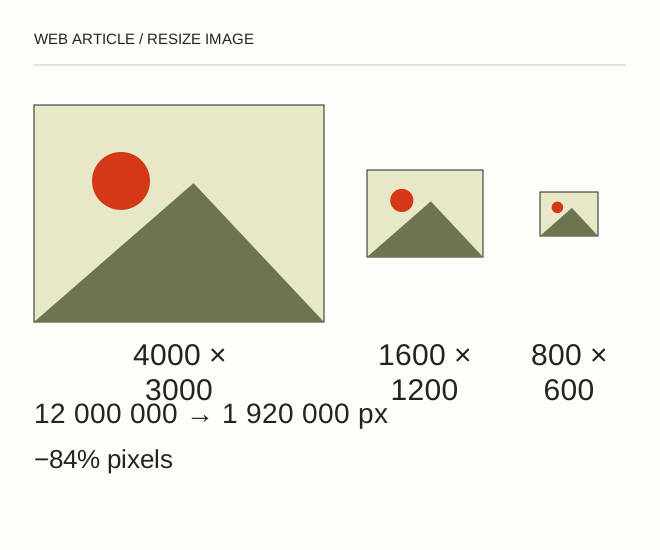
Text explanation of the diagram
4000 × 3000 → 1600 × 1200 → 800 × 600. Resizing from 4000 × 3000 to 1600 × 1200 reduces the pixel count from 12 million to 1.92 million: an 84% reduction. The file does not necessarily become 84% smaller; content and encoding also matter.
The procedure
- Open Image → Image Size. Link the dimensions and enable Resample when changing the pixel count. Enter 1600 px for width: a 4:3 image becomes 1200 px high.
- Save the editable document separately and export a web copy. Start with JPEG or WebP for a photograph. Compare quality settings at 100%, paying attention to hair, lettering and thin lines.
- Reopen the exported file. Check dimensions, colour, sharpness and actual file size. Use srcset for the variants and provide width/height so the browser can reserve space.
<img src="photo-800.jpg" srcset="photo-800.jpg 800w, photo-1600.jpg 1600w" sizes="(max-width: 800px) 100vw, 800px" width="1600" height="1200" alt="Описание фотографии">A worked example
Resizing from 4000 × 3000 to 1600 × 1200 reduces the pixel count from 12 million to 1.92 million: an 84% reduction. The file does not necessarily become 84% smaller; content and encoding also matter.
Check the result
Test on a narrow screen and a high-density display. Inspect Network to see which file the browser actually selected. A small editor thumbnail cannot demonstrate export quality.
A common mistake
Changing 300 ppi to 72 ppi without resampling does not reduce a web image’s pixel dimensions. PPI connects pixels to printed size; browsers primarily need the correct pixel dimensions.
Sources and next steps
Diagram and examples: Web Article editorial team. The diagram explains a principle; it is not an interface capture or a software test result.