Before you begin
Collect three real files: a photograph, a simple logo and an interface screenshot with small lettering. Record the display size and whether each needs transparency.
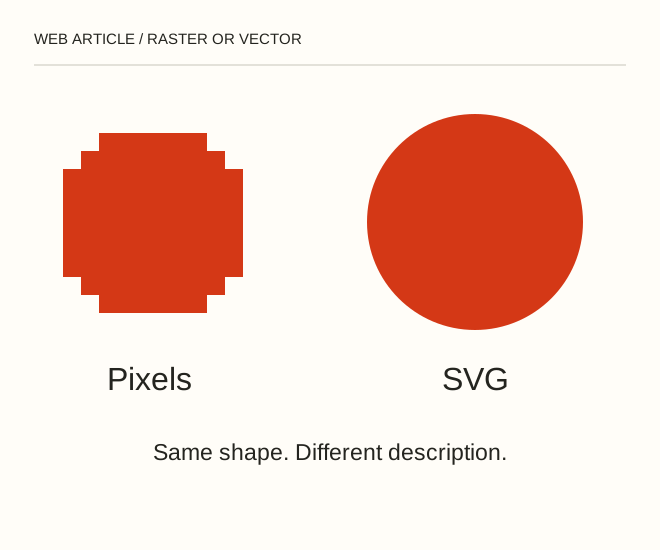
Text explanation of the diagram
Photo → raster → Logo → SVG → Interface → crisp edges. A circle icon can be described by one geometric shape. A portrait contains many complex transitions: automatic tracing may produce a heavy SVG and distort the face. Embedding a photograph inside SVG does not make its pixels resolution-independent.
The procedure
- Keep photographs in a raster format: JPEG, WebP or AVIF according to project requirements. Inspect compression on complex detail and avoid delivering a huge source file to a small card.
- Prepare a simple logo or diagram as SVG when your rights and tools permit. Check the viewBox, external resources and legibility at small sizes. Treat an SVG from an unknown source as code requiring inspection.
- Compare PNG and WebP for interface screenshots: sharp, small lettering is sensitive to lossy compression. Do not turn the entire instruction into an image; provide accessible text alongside it.
<svg xmlns="http://www.w3.org/2000/svg" viewBox="0 0 100 100"><circle cx="50" cy="50" r="40" fill="#fa4616"/></svg>A worked example
A circle icon can be described by one geometric shape. A portrait contains many complex transitions: automatic tracing may produce a heavy SVG and distort the face. Embedding a photograph inside SVG does not make its pixels resolution-independent.
Check the result
Enlarge the logo, reduce it to icon size and test it on dark backgrounds. For photos, inspect detail at the actual displayed size and check the resource selected by the browser.
A common mistake
The SVG extension alone proves neither small file size nor safety. The document can contain raster data, scripts or links to external resources.
Sources and next steps
- MDN — Responsive images
- Векторная и растровая графика для web — 2009-01-24 (RU)
Diagram and examples: Web Article editorial team. The diagram explains a principle; it is not an interface capture or a software test result.