Before you begin
Identify the SWF’s purpose: a banner, video or interactive application. Keep authorised source files for study, but do not execute unknown code.
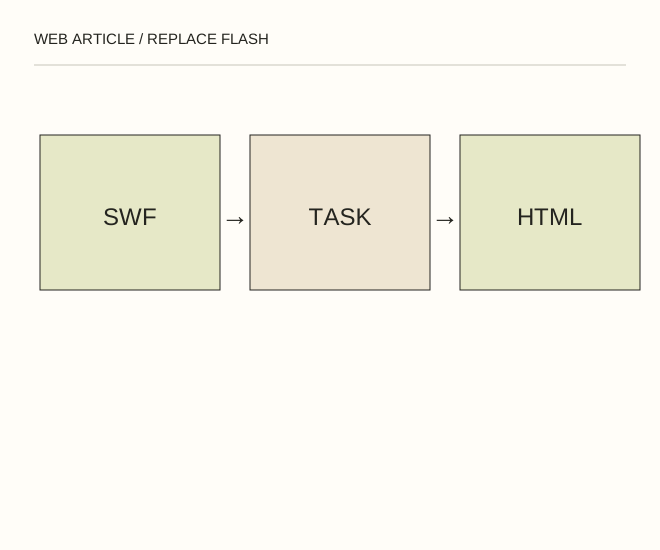
Text explanation of the diagram
Identify SWF purpose → HTML / CSS / SVG → Test without plugins. A banner that previously opened a page with getURL becomes an a element containing an img. This replaces the function rather than pretending to run the old player.
The procedure
- For a clickable banner, use an ordinary link containing an image and meaningful text. It supports keyboard access and opening a new tab without ActionScript.
- Rebuild small shape animations with CSS or SVG; use HTML video with controls and appropriate text support for a filmed sequence. Do not promise one-command conversion of every old game.
- Test the link, keyboard focus and reduced-motion behaviour. The message should survive unavailable images and disabled JavaScript.
<a href="/guides/"><img src="banner.webp" width="600" height="300" alt="Практические руководства Web Article"></a>A worked example
A banner that previously opened a page with getURL becomes an a element containing an img. This replaces the function rather than pretending to run the old player.
Check the result
The page contains no Flash object/embed, requests to install a plugin or downloads of unknown players. The link has a real destination and an accessible name.
A common mistake
A screenshot of an old interface is not a working reconstruction. Distinguish preserved documentation from functionality rebuilt today.
Sources and next steps
- Adobe — Flash Player end of life
- Как flash-баннер сделать ссылкой. Добавляем кнопку с кодом в баннер — 2008-12-10 (RU)
Diagram and examples: Web Article editorial team. The diagram explains a principle; it is not an interface capture or a software test result.